

Step into the realm of architectural rendering and discover the artistry and innovation that transform concepts into vivid visualizations. From traditional techniques to cutting-edge technology, this captivating journey will unveil the magic behind architectural renderings.
Delve deeper into the realm of architectural rendering as we uncover its significance, evolution, and limitless possibilities awaiting exploration.
Overview of Architectural Rendering
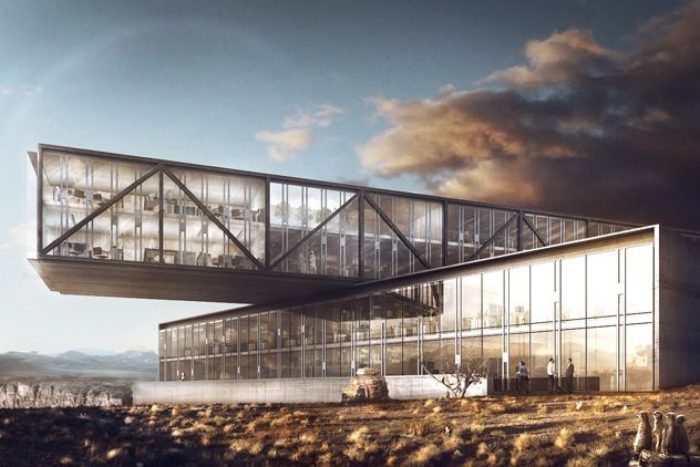
Architectural rendering is the process of creating two-dimensional and three-dimensional images of a proposed architectural design. It plays a crucial role in the field of architecture by helping architects, designers, and clients visualize and understand the final look of a building before construction begins.
Importance of Architectural Rendering
Architectural rendering is vital in visualizing design concepts as it allows stakeholders to see how a building will look in its intended environment. It helps in making informed decisions, identifying potential issues, and communicating ideas effectively. Additionally, it aids in marketing and promoting projects to potential investors and clients.
Evolution of Architectural Rendering Techniques
Architectural rendering techniques have evolved significantly over time, from hand-drawn sketches and paintings to digital renderings using advanced software. The use of computer-generated imagery (CGI) has revolutionized the way architectural designs are presented, providing more realistic and detailed visualizations. Virtual reality (VR) and augmented reality (AR) technologies are also being increasingly integrated into architectural rendering, offering immersive experiences for clients and users.
Types of Architectural Rendering
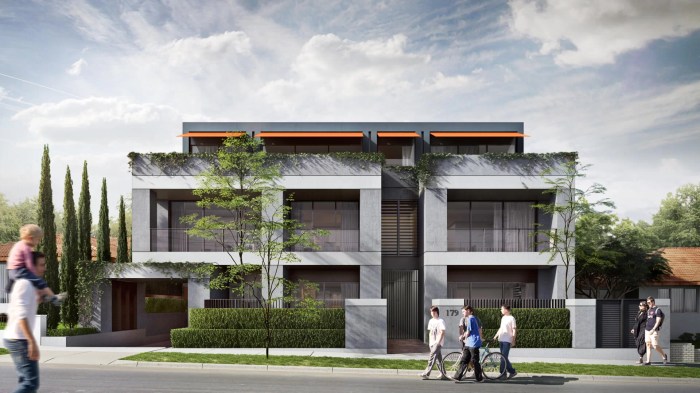
Architectural rendering plays a crucial role in visualizing buildings and structures before they are constructed. There are different types of architectural rendering techniques used in the industry to bring designs to life.
2D vs. 3D Architectural Rendering
D architectural rendering involves creating flat, two-dimensional images of architectural designs. These renderings are typically used for floor plans, elevations, and site plans. On the other hand, 3D architectural rendering adds depth and realism to the designs by creating three-dimensional models.
This allows viewers to get a better sense of scale, proportion, and spatial relationships.
Photorealistic Rendering
Photorealistic rendering aims to create images that are indistinguishable from photographs. This technique uses advanced lighting, textures, and materials to achieve a high level of realism in architectural visualization. Photorealistic rendering is often used in marketing materials, presentations, and client approvals to showcase the final look of a project.
Virtual Reality (VR) and Augmented Reality (AR) in Architectural Rendering
Virtual Reality (VR) and Augmented Reality (AR) are revolutionizing the way architectural designs are presented. VR allows users to immerse themselves in a virtual environment and experience the space as if they were physically present. AR, on the other hand, overlays digital information onto the real world, enhancing the understanding of the design.
Both VR and AR provide clients and stakeholders with interactive and engaging experiences, helping them better visualize the final project.
Software and Tools for Architectural Rendering
When it comes to creating architectural renderings, having the right software and tools can make a significant difference in the final outcome. Here, we will explore some popular software used for architectural rendering, compare their features, and discuss the benefits of using rendering plugins in architectural design software.
Popular Software for Architectural Rendering
- Autodesk 3ds Max: Known for its robust modeling capabilities and wide range of rendering options.
- SketchUp: User-friendly software with a strong focus on 3D modeling, often used for conceptual design.
- Blender: An open-source software with powerful rendering capabilities, favored by many artists and designers.
- V-Ray: A popular rendering plugin compatible with various 3D modeling software, known for its realistic lighting and materials.
- Lumion: Specialized software for fast and high-quality architectural visualization, ideal for creating immersive renderings.
Comparison of Rendering Software Features
| Software | Key Features |
|---|---|
| Autodesk 3ds Max | Advanced modeling tools, extensive material library, support for plugins like V-Ray. |
| SketchUp | Intuitive interface, easy-to-use tools, compatibility with various rendering plugins. |
| Blender | Powerful rendering engine, flexible modeling tools, free and open-source. |
| V-Ray | Photorealistic rendering, advanced lighting effects, integration with multiple platforms. |
| Lumion | Real-time rendering, vast library of textures and objects, seamless scene creation. |
Benefits of Rendering Plugins in Architectural Design Software
- Enhanced Rendering Capabilities: Plugins like V-Ray, Corona Renderer, or Enscape can significantly improve the quality and realism of architectural renderings.
- Time Efficiency: Rendering plugins often offer faster rendering speeds, allowing designers to visualize their projects more quickly.
- Specialized Effects: Plugins can provide specialized effects such as realistic lighting, atmospheric effects, or detailed textures that may not be easily achievable with standard software tools.
- Integration with Existing Workflows: Many rendering plugins seamlessly integrate with popular design software, making it easier for designers to incorporate advanced rendering techniques into their workflow.
Techniques and Best Practices
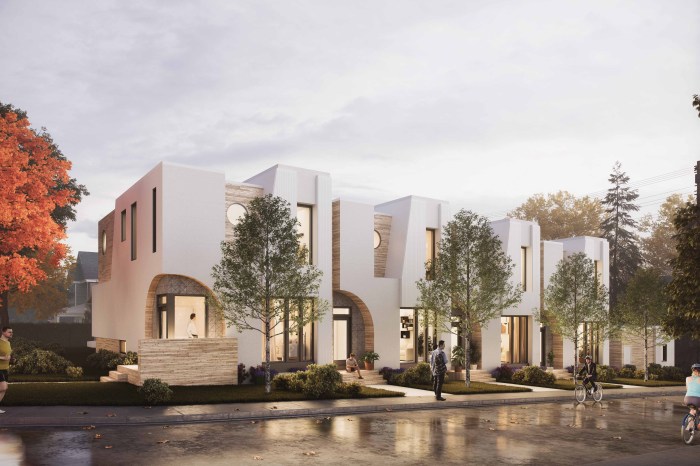
When it comes to architectural rendering, there are several techniques and best practices that can help enhance the quality and realism of the final output. From lighting to textures and materials, attention to detail is key in creating stunning renderings that accurately represent the design.
Lighting Techniques in Architectural Rendering
Lighting plays a crucial role in architectural rendering as it can dramatically impact the overall look and feel of a design. Here are some key lighting techniques to consider:
- Use natural lighting: Incorporating natural light sources such as windows and skylights can create a more realistic and dynamic effect in renderings.
- Experiment with artificial lighting: Adding artificial lights like lamps, spotlights, or ambient lighting can help highlight specific areas of the design and create depth.
- Play with shadows: Shadows can add depth and dimension to renderings, so make sure to adjust the direction and intensity of shadows based on the light sources in the scene.
The Process of Creating Textures for Architectural Models
Textures are essential in architectural rendering as they add realism and detail to surfaces in the design. Here is a general process for creating textures:
- Gather texture images: Collect high-quality images of materials like wood, concrete, or metal that you want to apply to your model.
- Map textures: Use software tools to map the textures onto the surfaces of your model accurately, ensuring proper scaling and alignment.
- Adjust settings: Fine-tune the texture settings to control factors like glossiness, roughness, and color to achieve the desired look.
Share Tips on Achieving Realistic Materials and Finishes in Renderings
Creating realistic materials and finishes is essential for achieving a convincing architectural rendering. Here are some tips to help you achieve this:
- Focus on details: Pay attention to small details like imperfections, grains, or reflections to make materials look more authentic.
- Use high-quality textures: Invest in high-resolution textures to ensure that materials like wood, metal, or fabric look realistic and detailed.
- Experiment with shaders: Explore different shader settings to mimic the properties of materials accurately, such as roughness, transparency, or reflectivity.
Challenges in Architectural Rendering
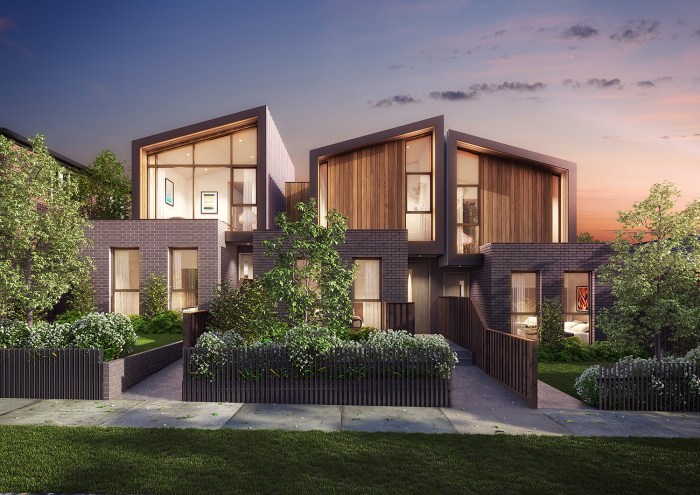
Architectural rendering is a complex process that comes with its own set of challenges. From achieving accurate scale and proportion to dealing with hardware limitations, architects often face obstacles that can impact the quality of their renderings.
Scale and Proportion Issues
One common challenge architects encounter during the rendering process is ensuring that the scale and proportion of the design are accurately represented. When creating architectural renderings, it is crucial to maintain the correct scale to provide an accurate depiction of the final structure.
Failure to address scale and proportion issues can result in misleading representations that do not accurately reflect the intended design.
Impact of Hardware Limitations
Hardware limitations can also pose a significant challenge in architectural rendering. The quality of architectural renderings heavily relies on the capabilities of the hardware being used. Insufficient hardware resources can lead to longer rendering times, lower image quality, and limited ability to handle complex designs.
Architects must address hardware limitations by investing in powerful computers with high-performance graphics cards and processors to ensure smooth rendering processes and high-quality outputs.
Closing Notes
As we conclude our exploration of architectural rendering, we reflect on the transformative power of visuals in architecture. From overcoming challenges to embracing new technologies, the future of architectural rendering shines bright with endless creative opportunities.
Popular Questions
What is the role of architectural rendering in the field of architecture?
Architectural rendering serves as a powerful tool for visualizing design concepts and communicating ideas effectively.
How does photorealistic rendering enhance architectural visualization?
Photorealistic rendering brings designs to life with lifelike details and textures, offering a realistic preview of architectural projects.
Which software are commonly used for creating architectural renderings?
Popular software includes Autodesk 3ds Max, SketchUp, and Lumion, among others.
What are some best practices for achieving realistic materials in renderings?
Utilizing proper lighting techniques, creating detailed textures, and paying attention to scale and proportion are key factors in achieving realistic materials.
How do hardware limitations impact the quality of architectural renderings?
Hardware limitations can affect rendering speeds and the ability to handle complex visualizations, potentially impacting the overall quality of architectural renderings.








![13 Steps to Selling a House With a Realtor [A to Z Process]](https://interior.sshstores.net/wp-content/uploads/2025/11/How-to-Sell-Your-House-with-a-Realtor-120x86.jpeg)
